
// TL;DR
One of my favourite little findings. A private Bugcrowd program had a login?nextUrl= redirect parameter that rejected the usual open-redirect payloads. A random test showed the app was concatenating my input onto its own domain rather than validating it — which handed me the bypass: .evil.com and @evil.com both turned redacted.com into a redirect off to the attacker’s domain. It was first auto-closed as a duplicate of an old, already-fixed report, but on re-review it turned out I’d found a bypass of that fix — new finding, rewarded $200.
What is an open redirect?
An open redirect is a flaw where a web page redirects to a URL taken from user-controlled input without properly validating it. Because the destination isn’t checked, an attacker can point it at any domain — which is valuable for phishing, since the link starts on a trusted site before bouncing the victim somewhere hostile.
The endpoint
I’d received an invitation to a private program on Bugcrowd and registered an account on the target (I’ll call it https://redacted.com). While poking around I hit a normal login endpoint with a redirect parameter:
https://redacted.com/login?nextUrl=url
The nextUrl value controls where you land after logging in — a classic open-redirect candidate.
The clue: concatenation, not validation
I tried the standard payloads first — nextUrl=http://evil.com, nextUrl=//evil.com, and the usual variants. All rejected. So far it looked properly defended.
Then, almost idly, I put a bare evil.com in the parameter:
https://redacted.com/login?nextUrl=evil.com
…and after login the destination became:
https://redacted.comevil.com
That was the tell. The app wasn’t validating my input — it was concatenating it directly onto its own domain. Seeing redacted.com + evil.com glued together told me exactly what to do next: supply a character that turns that concatenation into a valid redirect off-site.
The bypass payloads
Two small payloads did it, each abusing URL parsing:
Leading dot — nextUrl=.evil.com:
https://redacted.com.evil.com
redacted.com.evil.com is a subdomain of evil.com, fully attacker-controlled. (Worked in Firefox.)
The @ trick — nextUrl=@evil.com:
https://redacted.com@evil.com → evil.com
Everything before the @ in a URL is treated as credentials (userinfo), so redacted.com becomes a username and the browser navigates to evil.com. (Worked in Chrome.)
Either way, a link that begins with the trusted redacted.com sends the victim to the attacker’s domain — exactly the trust-borrowing an open redirect is dangerous for.
Duplicate → re-review → bypass
The triage part is worth sharing, because it’s a lesson in itself. Within about two minutes of reporting, my submission was auto-closed as a duplicate of an older report (an open redirect on the same nextUrl parameter, filed a year earlier).
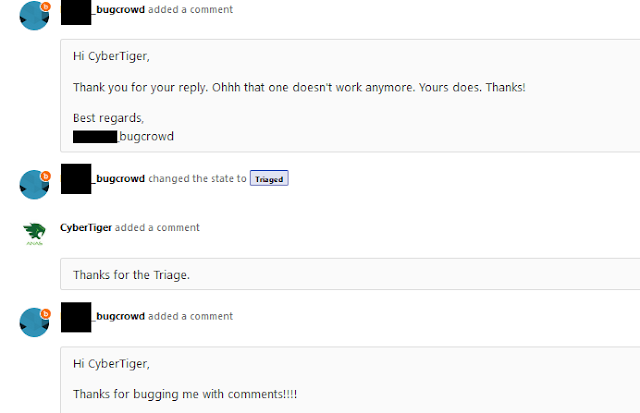
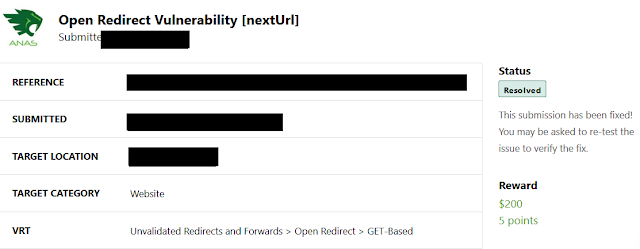
I checked the referenced report’s PoC — and it no longer worked. The original had been fixed. So I asked the team to re-review: if the old one was resolved and mine still worked, mine wasn’t a duplicate — it was a bypass of their fix. They re-opened it, agreed, and rewarded a $200 bounty.
I’ve since found open redirects many times with this same concatenation-based technique.
Takeaways
- When the obvious payloads fail, learn how your input is handled. The breakthrough wasn’t a payload — it was noticing the app concatenated my value onto its domain. A single harmless test (
evil.com) revealed the mental model I needed. .and@are open-redirect workhorses. A leading dot turns the trusted host into a subdomain of your domain; an@turns it into userinfo and sends the browser to yours. Try both — they often behave differently across browsers.- Don’t accept a “duplicate” at face value. If the referenced report is already fixed and your PoC still fires, you’ve found a bypass, which is a new, valid finding. Politely request a re-review with that reasoning.
- A fixed bug is a great place to look. Patches are often incomplete. Re-testing resolved reports for bypasses is one of the higher-yield habits in bug bounty.
Thanks for reading — hope it was useful. Happy hacking!

Leave a Reply